Lovable alternatives that keep your repo yours
By Andrea Buttarelli, founder of Feega · checked 2026-11-22 · how we checked
Keep Lovable if there is no code yet. It turns a prompt into a hosted full-stack app.
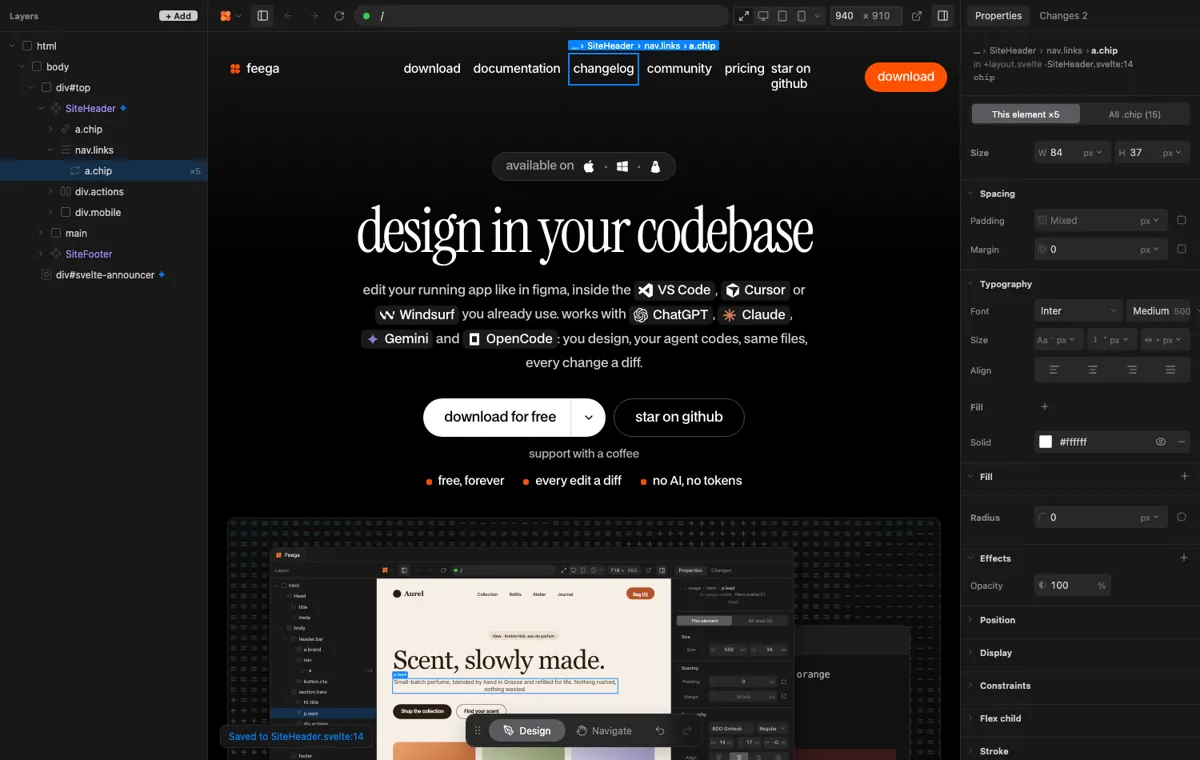
Lovable and Feega at a glance
| Lovable | Feega | |
|---|---|---|
| Starts from | A prompt, or a ZIP upload | Your existing repo |
| GitHub | Sync creates a new repository | Edits your folder in place |
| Commit author | lovable-dev[bot] | You |
| Hosting | Included | Wherever you host today |
| Usage | Free has 5 build credits a day | No limits |
| Price | Pro is $25 a month | Free, Apache-2.0 |
| Uses AI | Yes | No |
Lovable, a coding agent and Feega side by side
| Lovable | A coding agent in your repo | Feega | |
|---|---|---|---|
| Where the code lives | In a Lovable project, synced to a new private repository (Lovable GitHub integration) | In your repo | In your repo |
| Pricing model | Free: 5 daily build credits, capped at 30 a month. Pro from $25 a month, or $250 a year (Lovable plans, 22 November 2026) | Your agent’s own plan | Free, Apache-2.0 |
| Export and git | Upload code takes a ZIP; sync covers one branch at a time | Plain git, any branch | Plain git; Feega never commits |
| Local or cloud | Hosted project | Local terminal or editor | Local, no account |
| Who commits | lovable-dev[bot], sometimes crediting the member | You | You |
| Who it fits | First versions from a prompt | Building and refactoring | Hand edits on an existing page |
Lovable does not open your repo
Per Lovable’s GitHub integration docs as we read them, sync creates a new repository. To start from code you already have, you upload a ZIP. Its commits are authored by lovable-dev[bot].
That is fine for a project born in Lovable. For an existing product, it means a second copy and a bot in your history.
- Zip your project
- Upload it
- Prompt the change
- Sync a new repository
- Open your repo
- Click the element
- Set the value
- Commit yourself
your name on your commits
Feega never commits. It writes edits into your files, and your git client records them under your identity, with the message you choose.
Blame, history and review stay exactly as your team set them up.
  .cta {
-   padding: 12px 20px;
+   padding: 14px 24px;
    border-radius: 6px;
  }
one codebase, not two
Uploading an app to change a page leaves you with two copies to keep in step: the one your customers use and the one the tool edits.
Feega avoids the split. The app you edit is the app you ship.
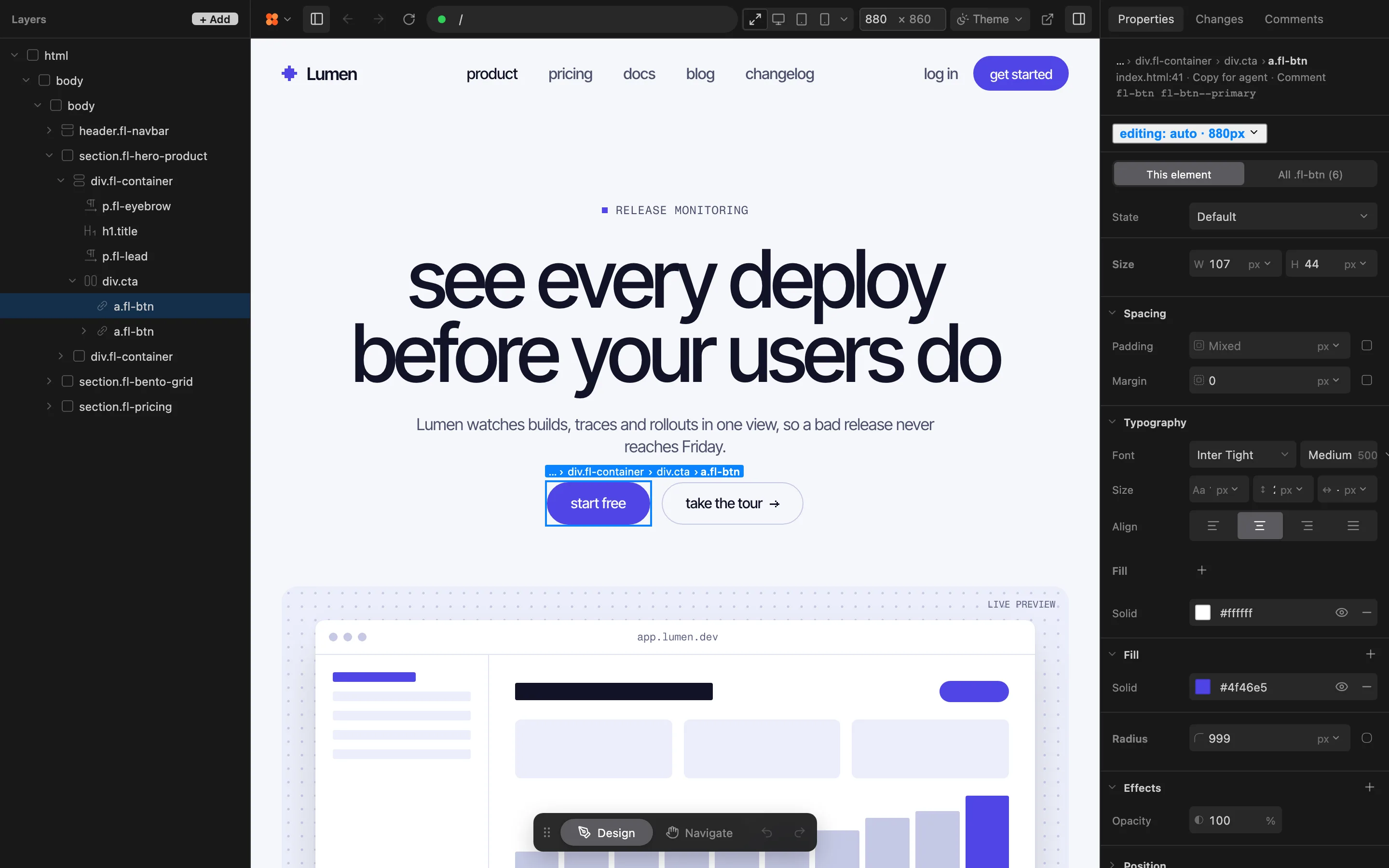
when to choose which
choose Lovable if
- You start from nothing.
- Chat is all you want.
- You want hosting included.
choose Feega if
- The repo already exists.
- You want your own commits, not a bot’s.
- You want edits in your own files, with no AI.
what each one costs
Free has 5 build credits a day and Pro is $25 a month, per Lovable’s plans page when we checked. Credits run per build, so check how many your edits take.
Feega is free and has no credits. It is open source under Apache-2.0.
using your coding agent with Feega instead
If you already write code with an agent, the question is where the agent works and where the visual edits go. Pick the page for yours:
- Lovable alternative for Claude Code users, with the Feega skill and the plugin install.
- Lovable alternative for OpenAI Codex, for the CLI, the IDE extension and the desktop app.
- Lovable alternative for Cursor users, where Feega runs inside the same window as the agent.
Each page shows a real diff and the setup for that agent. The reasons to leave Lovable are the same on all three.
where Lovable is the better choice
Lovable gives you a running, hosted full-stack app within minutes of writing a prompt, with nothing to install. Its GitHub sync works in both directions once the repository exists: per its docs, changes made in Lovable sync to GitHub, and commits pushed to the active branch sync back. It also says you can clone the repository and continue in your own IDE.
That makes it a fair way to start an app and hand it over later. It stops being the right tool when the repo came first, since Lovable only syncs one branch at a time and its commits come from lovable-dev[bot], co-attributed to the member who triggered them.
other coding agents
Feega’s docs list Claude Code, Cursor, Copilot, Cline, Codex and Gemini CLI as agents that read the editor selection, so they see the element you picked. The skill install is documented for Claude Code, Cursor and Codex, and those three have their own pages above.
xAI’s Grok Build is a terminal coding agent, per its documentation. It is not on Feega’s tested list. Feega writes plain files, so Grok Build, or any agent that edits your folder, sees your changes through the files and through git. The selection sync and the skill are untested there, so this page does not promise them. The pattern stays the same across Lovable: you design, the agent codes, and both edit the same repo. The agents page in the docs is the reference.
what the sync does and does not do
Lovable GitHub integration spells out the rules. Connecting a project always creates a new GitHub repository, private by default. Git sync cannot link a project to an existing repository, and reconnecting after a disconnect creates yet another new one. Lovable edits one branch at a time, starting from the default branch unless you switch, and you cannot switch while it is editing.
To start from code you already have, the page says to download it as a ZIP and import it with Upload code. Business and Enterprise workspaces can record member emails on commits, per Lovable plans. None of this is a flaw for a project born in Lovable. It matters for a team whose repo came first.
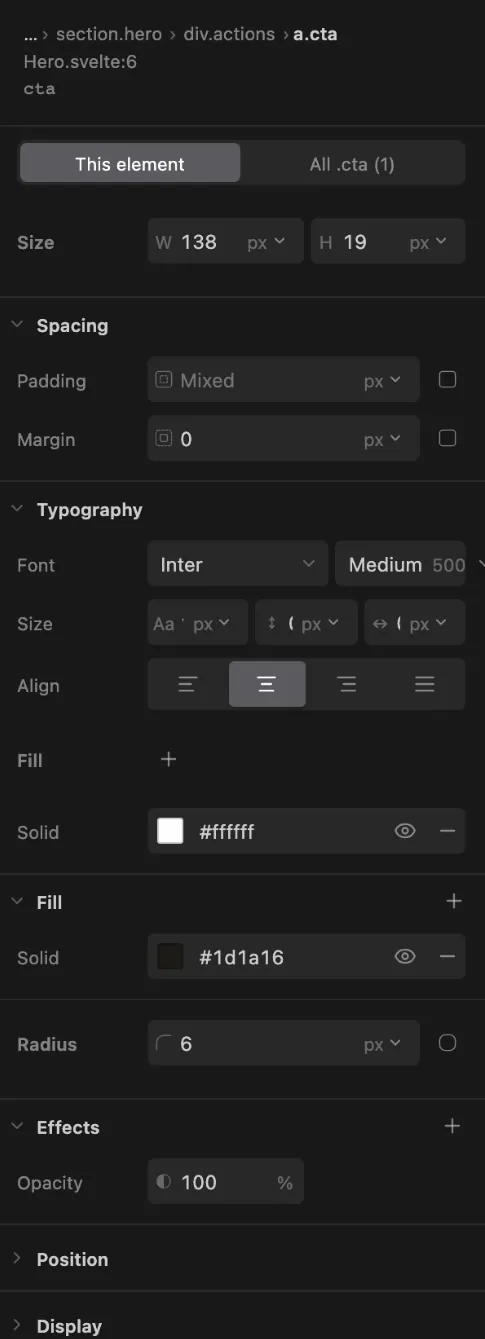
pairing your agent with Feega on a repo
Your agent writes structure and Feega sets values. In Claude Code, Claude Code: skills explains that a project skill lives in .claude/skills and can be committed. In Codex, OpenAI: Codex CLI describes a local terminal tool. In Cursor, Cursor: Design Mode sends your annotation to the agent, while Feega sets the value yourself.
You open the running page, click an element and change it in Properties, then read the diff in Changes. The Feega docs: use Feega with AI agents list which agents read the editor selection. The idea behind it is in Design in your codebase.
Try Feega in two minutes: run npx feega in your project folder, or install the extension.
Download Feega →A fair way to decide
Pick one real change from last week, such as a card padding or a heading size. Do it in Lovable and then with your own agent plus Feega. Time both, count the credits, and open the resulting diff. Feega adds no cost, so the second run is only your agent’s plan. The pricing page and the download page have the rest, and the quick start takes a few minutes.
Other comparisons live in the alternatives index, including Framer for sites built on a canvas.
The agent guide lists every command and what each agent can see.
Read the agent docs →try Feega on your repo in five steps
- InstallAdd the Feega extension in VS Code, Cursor, Windsurf or VSCodium, or run npx feega in the project folder.
- Open the projectFeega starts your dev server and shows the running page next to your layers.
- Click and changePick an element, then set its padding, colour, type or layout in the Properties bar.
- Read the diffEvery edit appears in Changes as a diff against your source. Keep it, or undo it.
- Commit as usualFeega writes files and stops there. Review and commit with the tools you already use.
mistakes people make
Uploading your app to edit a page. You now have two copies to keep in step.
Counting only the monthly price. Credits run per build; check how many your edits take.
Forgetting the branch. Lovable syncs one branch at a time, so push to the branch it watches if you want a change back in Lovable.
questions
What does Lovable cost?
Free has 5 build credits a day; Pro is $25 a month.
Can Lovable push to my existing GitHub repo?
Not directly; sync creates a new repository.
Can I use Claude Code, Codex or Cursor on a Lovable project?
Lovable says you can clone the synced repository and work in your own IDE. Feega edits the same files by hand, so the agent and Feega share one repo.
Does Feega replace Lovable?
Only for projects that already live in code. It has no prompt-to-app builder and no hosting.
Can Lovable push to my existing repo?
Not directly; sync creates a new repository.
When is Lovable the better choice?
When you have no code yet and want a hosted full-stack app from a prompt.
Does Feega host my app?
No. You keep your own hosting.
Does Feega need a database or login?
No. It edits front-end files; there is no account.
how we checked
We make Feega, so read our column with that in mind. We read each product's public pages on 2026-11-22 and compared what they offer, not finished work. Something wrong? Write to hi@feega.app.
- Lovable GitHub integration
- Lovable plans
- Feega docs: use Feega with AI agents
- Claude Code: skills
- OpenAI: Codex CLI
- Cursor: Design Mode
Feega is not affiliated with, endorsed by, sponsored by or connected to any company or product named on this page. All product names, logos and trademarks belong to their respective owners and are used only to identify those products. Information comes from their public pages on the date shown and may have changed since; check the source before you decide. This page is not legal, financial or purchasing advice.
Keep Lovable for a new app. Keep your repo for the one you have.
download for free →