Claude Design alternatives when the code already exists
By Andrea Buttarelli, founder of Feega · checked 2026-11-18 · how we checked
Keep Claude Design if you start something new and already pay for Claude. It makes designs, prototypes and slides from a chat, and hands them to Claude Code. Feega edits the product you have already built, by hand.
Claude design and Feega at a glance
| Claude Design | Feega | |
|---|---|---|
| Starts from | A prompt, a document or a linked repo | The project you already run |
| How you change things | You describe it in a chat | You click an element and set a value |
| Uses an AI model | Yes, it is the product | No, and no tokens |
| What your repo receives | Nothing directly; Claude Code builds the result | A diff in your source files |
| Other outputs | Prototypes, slides, PDF | None; it edits the running app |
| Cost | Included in every Claude plan, shares its usage | Free, open source (Apache-2.0) |
| Where it runs | claude.ai/design, moving into Claude Code | VS Code extension, or npx feega |
it reads your repo; it does not write to it
Claude Design can learn your components, either from a linked repository or with /design-sync. That gives its designs a family resemblance to your product. But the design lives in a Claude Design project, and turning it into code is a second step, done by Claude Code.
Feega skips the second step. There is no design copy of your app to keep in sync, because the thing you are editing is the app. Change a value, and the line in the source file changes with it.
- Describe the screen
- Review the generated design
- Hand it to Claude Code
- Review the built result
- Open the running app
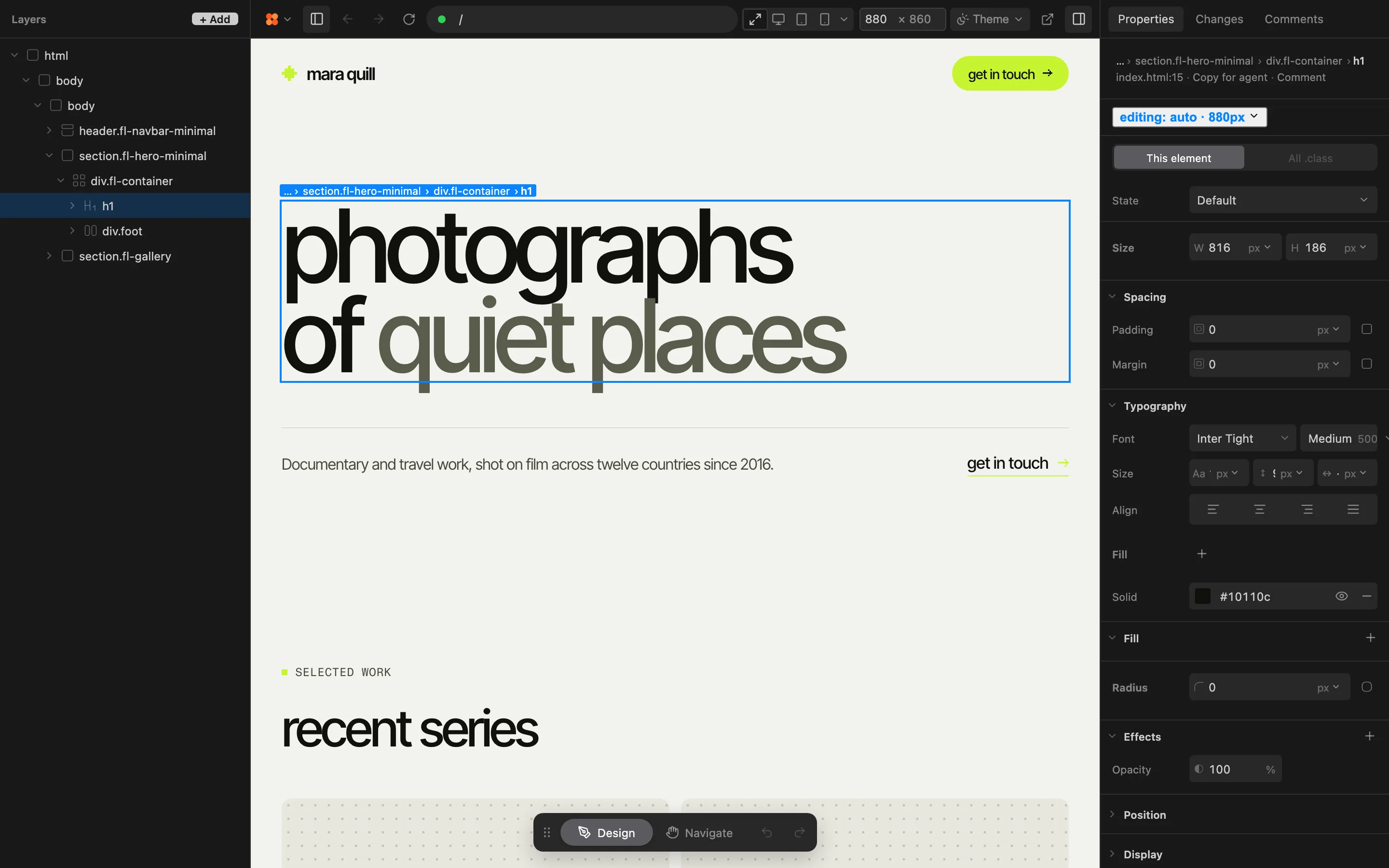
- Click the element
- Set the value
- Review the diff
A hand edit is a two-second job
Prompting is a good way to get a first draft. It is a slow way to nudge padding from 12 to 14 pixels. You write the request, wait, read what came back, and check that nothing else moved.
In Feega you select the element and type the number. The diff is exactly the line you meant, and nothing else changes, because there is no model deciding what else might need adjusting.
  .cta {
-   padding: 12px 20px;
+   padding: 14px 24px;
    border-radius: 6px;
  }
no AI in the loop means the same edit gives the same result
Feega has no model, so there are no tokens to spend and no output that varies from run to run. The same click on the same element writes the same line.
That also means Feega has nothing to say about what a design should be. It will not propose a layout. If you want ideas, Claude Design is the better tool, and nothing stops you using both on the same project.
when to choose which
choose Claude design if
- You start from a prompt or a document.
- You need slides or a PDF too.
- You want no extra seat beyond Claude.
choose Feega if
- The app exists and must change in place.
- You want to edit by hand, with no AI and no tokens.
- The change should be a diff in your files, not a new build.
what each one costs you
Claude Design is included in every Claude plan and draws on that plan’s usage, so heavy design sessions share a budget with everything else you do in Claude. If you already pay for Claude, it adds no seat.
Feega is free and open source under Apache-2.0. It has no account, no usage limit and sends nothing, because there is no server behind it. The tradeoff is the one above: it edits, it does not generate.
try Feega on your own app in five steps
- InstallAdd the Feega extension in VS Code, Cursor, Windsurf or VSCodium, or run npx feega in the project folder.
- Open the projectFeega starts your dev server and shows the running page next to your layers.
- Click and changePick an element, then set its padding, colour, type or layout in the Properties bar.
- Read the diffEvery edit appears in Changes as a diff against your source. Keep it, or undo it.
- Commit as usualFeega writes files and stops there. Review and commit with the tools you already use.
mistakes people make
Reading “learns your design system” as “edits your app”. They are different jobs.
Missing the date. The standalone claude.ai/design closes on 14 December 2026 and moves into Claude Code.
questions
Is Claude Design free?
It is included in every Claude plan and shares that plan’s usage.
Can Claude Code use Feega too?
They edit the same files. Feega has no AI of its own; it writes your hand edits to source.
Do I have to choose between them?
No. Claude Design makes new designs; Feega edits the app that exists. They touch different files at different moments, so they sit side by side.
What happens to the standalone Claude Design site?
According to Anthropic’s pages as we read them, claude.ai/design closes on 14 December 2026 and the product moves into Claude Code.
Does Feega need an internet connection or an account?
No account. It runs your dev server locally and edits local files.
Which frameworks does Feega work with?
SvelteKit, React, Next.js, Vue, Nuxt, React Router, Astro and Vite, with plain CSS or Tailwind.
how we checked
We make Feega, so read our column with that in mind. We read each product's public pages on 2026-11-18 and compared what they offer, not finished work. Something wrong? Write to hi@feega.app.
Feega is not affiliated with, endorsed by, sponsored by or connected to any company or product named on this page. All product names, logos and trademarks belong to their respective owners and are used only to identify those products. Information comes from their public pages on the date shown and may have changed since; check the source before you decide. This page is not legal, financial or purchasing advice.
Keep Claude Design for the new thing. Use Feega on the one you shipped.
download for free →