free UI sections and components / sections
scroll reveal text
By Andrea Buttarelli, founder of Feega · Free · Svelte, React, Vue, Astro, HTML
Large centred paragraphs that light up word by word, or letter by letter, as you scroll.
code
<script lang="ts">
  const START = 0.8;
  const END = 0.4;

  function track(root: HTMLElement): () => void {
    if (matchMedia('(prefers-reduced-motion: reduce)').matches) {
      root.style.setProperty('--p', '1');
      return () => {};
    }

    let frame = 0;

    function update() {
      frame = 0;
      const rect = root.getBoundingClientRect();
      const raw = (innerHeight * START - rect.top) / (rect.height + innerHeight * (START - END));
      root.style.setProperty('--p', String(Math.min(1, Math.max(0, raw))));
    }

    function schedule() {
      if (!frame) {
        frame = requestAnimationFrame(update);
      }
    }

    addEventListener('scroll', schedule, { passive: true });
    addEventListener('resize', schedule);
    update();

    return () => {
      removeEventListener('scroll', schedule);
      removeEventListener('resize', schedule);
      cancelAnimationFrame(frame);
    };
  }

  function build(root: HTMLElement, reveal: string) {
    let i = 0;

    root.querySelectorAll('p').forEach((p) => {
      const text = (p.textContent ?? '').trim();
      const hidden = document.createElement('span');
      hidden.setAttribute('aria-hidden', 'true');

      text.split(' ').forEach((word, index, all) => {
        const w = document.createElement('span');
        w.className = 'w';
        (reveal === 'char' ? [...word] : [word]).forEach((t) => {
          const u = document.createElement('span');
          u.className = 'u';
          u.textContent = t;
          u.style.setProperty('--i', String(i++));
          w.append(u);
        });
        hidden.append(w);
        if (index < all.length - 1) {
          hidden.append(' ');
        }
      });

      const sr = document.createElement('span');
      sr.className = 'sr';
      sr.textContent = text;
      p.replaceChildren(sr, hidden);
    });

    root.style.setProperty('--n', String(i));
  }

  function mount(root: HTMLElement): () => void {
    if (!root.hasAttribute('data-ready')) {
      root.setAttribute('data-ready', '');
      build(root, root.dataset.reveal === 'char' ? 'char' : 'word');
    }
    return track(root);
  }

  let root: HTMLElement;

  $effect(() => mount(root));
</script>

<section class="fl-scroll-reveal-text">
  <div class="fl-container">
    <div class="reveal" data-reveal="word" bind:this={root}>
      <p>This is placeholder copy. Replace it with a short statement about what your product does and who it is for.</p>
      <p>Each word lights up as the reader scrolls, so keep the sentences short and the ideas clear.</p>
      <p>Scroll back up and the text fades again. Swap these lines for your own words.</p>
    </div>
  </div>
</section>

<style>
.fl-scroll-reveal-text{font-family:var(--feega-font);font-size:var(--feega-text-body);line-height:1.5;letter-spacing:var(--feega-tracking);color:var(--feega-fg);background:var(--feega-bg);-webkit-font-smoothing:antialiased}
:where(.fl-scroll-reveal-text) *,:where(.fl-scroll-reveal-text) *::before,:where(.fl-scroll-reveal-text) *::after{box-sizing:border-box}
:where(.fl-scroll-reveal-text) :is(h1,h2,h3,h4,p,ul,ol,figure,blockquote,dl,dd){margin:0}
:where(.fl-scroll-reveal-text) a{color:inherit;text-decoration:none}
:where(.fl-scroll-reveal-text) :focus-visible{outline:2px solid var(--feega-focus);outline-offset:3px}
.fl-container{width:min(var(--feega-max-width),100% - 2 * var(--feega-gutter));margin-inline:auto}
.fl-scroll-reveal-text{padding-block:var(--feega-space-section)}
.fl-scroll-reveal-text .reveal{--p:0;--dim:0.22;--edge:4;display:grid;gap:var(--feega-space-8);max-width:56rem;margin-inline:auto;text-align:center;font-family:var(--feega-font-display);font-size:clamp(1.625rem,4.2vw,3.25rem);font-weight:500;line-height:1.12;letter-spacing:var(--feega-tracking-tight)}
.fl-scroll-reveal-text .reveal[data-reveal="char"]{--edge:14}
.fl-scroll-reveal-text .reveal p{text-wrap:balance;overflow-wrap:anywhere}
.fl-scroll-reveal-text .w{display:inline-block;white-space:nowrap}
.fl-scroll-reveal-text .u{opacity:clamp(var(--dim),calc(var(--dim) + (1 - var(--dim)) * (var(--p) * (var(--n) + var(--edge)) - var(--i)) / var(--edge)),1)}
.fl-scroll-reveal-text .sr{position:absolute;width:1px;height:1px;margin:-1px;padding:0;overflow:hidden;clip:rect(0,0,0,0);white-space:nowrap;border:0}
@media (prefers-reduced-motion:reduce){.fl-scroll-reveal-text .u{opacity:1}}
@media (prefers-reduced-motion:reduce){:where([class^="fl-"]) *,:where([class^="fl-"]) *::before,:where([class^="fl-"]) *::after{animation:none!important;transition:none!important}}
</style>
import { useEffect, useRef } from 'react';
import './ScrollRevealText.css';

const START = 0.8;
const END = 0.4;

function track(root: HTMLElement): () => void {
  if (matchMedia('(prefers-reduced-motion: reduce)').matches) {
    root.style.setProperty('--p', '1');
    return () => {};
  }

  let frame = 0;

  function update() {
    frame = 0;
    const rect = root.getBoundingClientRect();
    const raw = (innerHeight * START - rect.top) / (rect.height + innerHeight * (START - END));
    root.style.setProperty('--p', String(Math.min(1, Math.max(0, raw))));
  }

  function schedule() {
    if (!frame) {
      frame = requestAnimationFrame(update);
    }
  }

  addEventListener('scroll', schedule, { passive: true });
  addEventListener('resize', schedule);
  update();

  return () => {
    removeEventListener('scroll', schedule);
    removeEventListener('resize', schedule);
    cancelAnimationFrame(frame);
  };
}

function build(root: HTMLElement, reveal: string) {
  let i = 0;

  root.querySelectorAll('p').forEach((p) => {
    const text = (p.textContent ?? '').trim();
    const hidden = document.createElement('span');
    hidden.setAttribute('aria-hidden', 'true');

    text.split(' ').forEach((word, index, all) => {
      const w = document.createElement('span');
      w.className = 'w';
      (reveal === 'char' ? [...word] : [word]).forEach((t) => {
        const u = document.createElement('span');
        u.className = 'u';
        u.textContent = t;
        u.style.setProperty('--i', String(i++));
        w.append(u);
      });
      hidden.append(w);
      if (index < all.length - 1) {
        hidden.append(' ');
      }
    });

    const sr = document.createElement('span');
    sr.className = 'sr';
    sr.textContent = text;
    p.replaceChildren(sr, hidden);
  });

  root.style.setProperty('--n', String(i));
}

function mount(root: HTMLElement): () => void {
  if (!root.hasAttribute('data-ready')) {
    root.setAttribute('data-ready', '');
    build(root, root.dataset.reveal === 'char' ? 'char' : 'word');
  }
  return track(root);
}

export function ScrollRevealText() {
  const root = useRef<HTMLDivElement>(null);

  useEffect(() => (root.current ? mount(root.current) : undefined), []);

  return (
    <section className="fl-scroll-reveal-text">
      <div className="fl-container">
        <div className="reveal" data-reveal="word" ref={root}>
          <p>This is placeholder copy. Replace it with a short statement about what your product does and who it is for.</p>
          <p>Each word lights up as the reader scrolls, so keep the sentences short and the ideas clear.</p>
          <p>Scroll back up and the text fades again. Swap these lines for your own words.</p>
        </div>
      </div>
    </section>
  );
}
.fl-scroll-reveal-text{font-family:var(--feega-font);font-size:var(--feega-text-body);line-height:1.5;letter-spacing:var(--feega-tracking);color:var(--feega-fg);background:var(--feega-bg);-webkit-font-smoothing:antialiased}
:where(.fl-scroll-reveal-text) *,:where(.fl-scroll-reveal-text) *::before,:where(.fl-scroll-reveal-text) *::after{box-sizing:border-box}
:where(.fl-scroll-reveal-text) :is(h1,h2,h3,h4,p,ul,ol,figure,blockquote,dl,dd){margin:0}
:where(.fl-scroll-reveal-text) a{color:inherit;text-decoration:none}
:where(.fl-scroll-reveal-text) :focus-visible{outline:2px solid var(--feega-focus);outline-offset:3px}
.fl-container{width:min(var(--feega-max-width),100% - 2 * var(--feega-gutter));margin-inline:auto}
.fl-scroll-reveal-text{padding-block:var(--feega-space-section)}
.fl-scroll-reveal-text .reveal{--p:0;--dim:0.22;--edge:4;display:grid;gap:var(--feega-space-8);max-width:56rem;margin-inline:auto;text-align:center;font-family:var(--feega-font-display);font-size:clamp(1.625rem,4.2vw,3.25rem);font-weight:500;line-height:1.12;letter-spacing:var(--feega-tracking-tight)}
.fl-scroll-reveal-text .reveal[data-reveal="char"]{--edge:14}
.fl-scroll-reveal-text .reveal p{text-wrap:balance;overflow-wrap:anywhere}
.fl-scroll-reveal-text .w{display:inline-block;white-space:nowrap}
.fl-scroll-reveal-text .u{opacity:clamp(var(--dim),calc(var(--dim) + (1 - var(--dim)) * (var(--p) * (var(--n) + var(--edge)) - var(--i)) / var(--edge)),1)}
.fl-scroll-reveal-text .sr{position:absolute;width:1px;height:1px;margin:-1px;padding:0;overflow:hidden;clip:rect(0,0,0,0);white-space:nowrap;border:0}
@media (prefers-reduced-motion:reduce){.fl-scroll-reveal-text .u{opacity:1}}
@media (prefers-reduced-motion:reduce){:where([class^="fl-"]) *,:where([class^="fl-"]) *::before,:where([class^="fl-"]) *::after{animation:none!important;transition:none!important}}
<script setup lang="ts">
import { onBeforeUnmount, onMounted, ref } from 'vue';

const START = 0.8;
const END = 0.4;

function track(root: HTMLElement): () => void {
  if (matchMedia('(prefers-reduced-motion: reduce)').matches) {
    root.style.setProperty('--p', '1');
    return () => {};
  }

  let frame = 0;

  function update() {
    frame = 0;
    const rect = root.getBoundingClientRect();
    const raw = (innerHeight * START - rect.top) / (rect.height + innerHeight * (START - END));
    root.style.setProperty('--p', String(Math.min(1, Math.max(0, raw))));
  }

  function schedule() {
    if (!frame) {
      frame = requestAnimationFrame(update);
    }
  }

  addEventListener('scroll', schedule, { passive: true });
  addEventListener('resize', schedule);
  update();

  return () => {
    removeEventListener('scroll', schedule);
    removeEventListener('resize', schedule);
    cancelAnimationFrame(frame);
  };
}

function build(root: HTMLElement, reveal: string) {
  let i = 0;

  root.querySelectorAll('p').forEach((p) => {
    const text = (p.textContent ?? '').trim();
    const hidden = document.createElement('span');
    hidden.setAttribute('aria-hidden', 'true');

    text.split(' ').forEach((word, index, all) => {
      const w = document.createElement('span');
      w.className = 'w';
      (reveal === 'char' ? [...word] : [word]).forEach((t) => {
        const u = document.createElement('span');
        u.className = 'u';
        u.textContent = t;
        u.style.setProperty('--i', String(i++));
        w.append(u);
      });
      hidden.append(w);
      if (index < all.length - 1) {
        hidden.append(' ');
      }
    });

    const sr = document.createElement('span');
    sr.className = 'sr';
    sr.textContent = text;
    p.replaceChildren(sr, hidden);
  });

  root.style.setProperty('--n', String(i));
}

function mount(root: HTMLElement): () => void {
  if (!root.hasAttribute('data-ready')) {
    root.setAttribute('data-ready', '');
    build(root, root.dataset.reveal === 'char' ? 'char' : 'word');
  }
  return track(root);
}

const root = ref<HTMLElement | null>(null);
let stop = () => {};

onMounted(() => {
  stop = mount(root.value as HTMLElement);
});
onBeforeUnmount(() => stop());
</script>

<template>
  <section class="fl-scroll-reveal-text">
    <div class="fl-container">
      <div class="reveal" data-reveal="word" ref="root">
        <p>This is placeholder copy. Replace it with a short statement about what your product does and who it is for.</p>
        <p>Each word lights up as the reader scrolls, so keep the sentences short and the ideas clear.</p>
        <p>Scroll back up and the text fades again. Swap these lines for your own words.</p>
      </div>
    </div>
  </section>
</template>

<style scoped>
.fl-scroll-reveal-text{font-family:var(--feega-font);font-size:var(--feega-text-body);line-height:1.5;letter-spacing:var(--feega-tracking);color:var(--feega-fg);background:var(--feega-bg);-webkit-font-smoothing:antialiased}
:where(.fl-scroll-reveal-text) *,:where(.fl-scroll-reveal-text) *::before,:where(.fl-scroll-reveal-text) *::after{box-sizing:border-box}
:where(.fl-scroll-reveal-text) :is(h1,h2,h3,h4,p,ul,ol,figure,blockquote,dl,dd){margin:0}
:where(.fl-scroll-reveal-text) a{color:inherit;text-decoration:none}
:where(.fl-scroll-reveal-text) :focus-visible{outline:2px solid var(--feega-focus);outline-offset:3px}
.fl-container{width:min(var(--feega-max-width),100% - 2 * var(--feega-gutter));margin-inline:auto}
.fl-scroll-reveal-text{padding-block:var(--feega-space-section)}
.fl-scroll-reveal-text .reveal{--p:0;--dim:0.22;--edge:4;display:grid;gap:var(--feega-space-8);max-width:56rem;margin-inline:auto;text-align:center;font-family:var(--feega-font-display);font-size:clamp(1.625rem,4.2vw,3.25rem);font-weight:500;line-height:1.12;letter-spacing:var(--feega-tracking-tight)}
.fl-scroll-reveal-text .reveal[data-reveal="char"]{--edge:14}
.fl-scroll-reveal-text .reveal p{text-wrap:balance;overflow-wrap:anywhere}
.fl-scroll-reveal-text .w{display:inline-block;white-space:nowrap}
.fl-scroll-reveal-text .u{opacity:clamp(var(--dim),calc(var(--dim) + (1 - var(--dim)) * (var(--p) * (var(--n) + var(--edge)) - var(--i)) / var(--edge)),1)}
.fl-scroll-reveal-text .sr{position:absolute;width:1px;height:1px;margin:-1px;padding:0;overflow:hidden;clip:rect(0,0,0,0);white-space:nowrap;border:0}
@media (prefers-reduced-motion:reduce){.fl-scroll-reveal-text .u{opacity:1}}
@media (prefers-reduced-motion:reduce){:where([class^="fl-"]) *,:where([class^="fl-"]) *::before,:where([class^="fl-"]) *::after{animation:none!important;transition:none!important}}
</style>
---
---

<section class="fl-scroll-reveal-text">
  <div class="fl-container">
    <div class="reveal" data-reveal="word">
      <p>This is placeholder copy. Replace it with a short statement about what your product does and who it is for.</p>
      <p>Each word lights up as the reader scrolls, so keep the sentences short and the ideas clear.</p>
      <p>Scroll back up and the text fades again. Swap these lines for your own words.</p>
    </div>
  </div>
</section>

<script>
const START = 0.8;
const END = 0.4;

function track(root: HTMLElement): () => void {
  if (matchMedia('(prefers-reduced-motion: reduce)').matches) {
    root.style.setProperty('--p', '1');
    return () => {};
  }

  let frame = 0;

  function update() {
    frame = 0;
    const rect = root.getBoundingClientRect();
    const raw = (innerHeight * START - rect.top) / (rect.height + innerHeight * (START - END));
    root.style.setProperty('--p', String(Math.min(1, Math.max(0, raw))));
  }

  function schedule() {
    if (!frame) {
      frame = requestAnimationFrame(update);
    }
  }

  addEventListener('scroll', schedule, { passive: true });
  addEventListener('resize', schedule);
  update();

  return () => {
    removeEventListener('scroll', schedule);
    removeEventListener('resize', schedule);
    cancelAnimationFrame(frame);
  };
}

function build(root: HTMLElement, reveal: string) {
  let i = 0;

  root.querySelectorAll('p').forEach((p) => {
    const text = (p.textContent ?? '').trim();
    const hidden = document.createElement('span');
    hidden.setAttribute('aria-hidden', 'true');

    text.split(' ').forEach((word, index, all) => {
      const w = document.createElement('span');
      w.className = 'w';
      (reveal === 'char' ? [...word] : [word]).forEach((t) => {
        const u = document.createElement('span');
        u.className = 'u';
        u.textContent = t;
        u.style.setProperty('--i', String(i++));
        w.append(u);
      });
      hidden.append(w);
      if (index < all.length - 1) {
        hidden.append(' ');
      }
    });

    const sr = document.createElement('span');
    sr.className = 'sr';
    sr.textContent = text;
    p.replaceChildren(sr, hidden);
  });

  root.style.setProperty('--n', String(i));
}

function mount(root: HTMLElement): () => void {
  if (!root.hasAttribute('data-ready')) {
    root.setAttribute('data-ready', '');
    build(root, root.dataset.reveal === 'char' ? 'char' : 'word');
  }
  return track(root);
}

document.querySelectorAll<HTMLElement>('.fl-scroll-reveal-text .reveal:not([data-ready])').forEach((root) => {
  mount(root);
});
</script>

<style is:global>
.fl-scroll-reveal-text{font-family:var(--feega-font);font-size:var(--feega-text-body);line-height:1.5;letter-spacing:var(--feega-tracking);color:var(--feega-fg);background:var(--feega-bg);-webkit-font-smoothing:antialiased}
:where(.fl-scroll-reveal-text) *,:where(.fl-scroll-reveal-text) *::before,:where(.fl-scroll-reveal-text) *::after{box-sizing:border-box}
:where(.fl-scroll-reveal-text) :is(h1,h2,h3,h4,p,ul,ol,figure,blockquote,dl,dd){margin:0}
:where(.fl-scroll-reveal-text) a{color:inherit;text-decoration:none}
:where(.fl-scroll-reveal-text) :focus-visible{outline:2px solid var(--feega-focus);outline-offset:3px}
.fl-container{width:min(var(--feega-max-width),100% - 2 * var(--feega-gutter));margin-inline:auto}
.fl-scroll-reveal-text{padding-block:var(--feega-space-section)}
.fl-scroll-reveal-text .reveal{--p:0;--dim:0.22;--edge:4;display:grid;gap:var(--feega-space-8);max-width:56rem;margin-inline:auto;text-align:center;font-family:var(--feega-font-display);font-size:clamp(1.625rem,4.2vw,3.25rem);font-weight:500;line-height:1.12;letter-spacing:var(--feega-tracking-tight)}
.fl-scroll-reveal-text .reveal[data-reveal="char"]{--edge:14}
.fl-scroll-reveal-text .reveal p{text-wrap:balance;overflow-wrap:anywhere}
.fl-scroll-reveal-text .w{display:inline-block;white-space:nowrap}
.fl-scroll-reveal-text .u{opacity:clamp(var(--dim),calc(var(--dim) + (1 - var(--dim)) * (var(--p) * (var(--n) + var(--edge)) - var(--i)) / var(--edge)),1)}
.fl-scroll-reveal-text .sr{position:absolute;width:1px;height:1px;margin:-1px;padding:0;overflow:hidden;clip:rect(0,0,0,0);white-space:nowrap;border:0}
@media (prefers-reduced-motion:reduce){.fl-scroll-reveal-text .u{opacity:1}}
@media (prefers-reduced-motion:reduce){:where([class^="fl-"]) *,:where([class^="fl-"]) *::before,:where([class^="fl-"]) *::after{animation:none!important;transition:none!important}}
</style>
<section class="fl-scroll-reveal-text">
  <div class="fl-container">
    <div class="reveal" data-reveal="word">
      <p>This is placeholder copy. Replace it with a short statement about what your product does and who it is for.</p>
      <p>Each word lights up as the reader scrolls, so keep the sentences short and the ideas clear.</p>
      <p>Scroll back up and the text fades again. Swap these lines for your own words.</p>
    </div>
  </div>
</section>

<script>
(() => {
  const START = 0.8;
  const END = 0.4;

  function track(root) {
    if (matchMedia('(prefers-reduced-motion: reduce)').matches) {
      root.style.setProperty('--p', '1');
      return () => {};
    }

    let frame = 0;

    function update() {
      frame = 0;
      const rect = root.getBoundingClientRect();
      const raw = (innerHeight * START - rect.top) / (rect.height + innerHeight * (START - END));
      root.style.setProperty('--p', String(Math.min(1, Math.max(0, raw))));
    }

    function schedule() {
      if (!frame) {
        frame = requestAnimationFrame(update);
      }
    }

    addEventListener('scroll', schedule, { passive: true });
    addEventListener('resize', schedule);
    update();

    return () => {
      removeEventListener('scroll', schedule);
      removeEventListener('resize', schedule);
      cancelAnimationFrame(frame);
    };
  }

  function build(root, reveal) {
    let i = 0;

    root.querySelectorAll('p').forEach((p) => {
      const text = (p.textContent ?? '').trim();
      const hidden = document.createElement('span');
      hidden.setAttribute('aria-hidden', 'true');

      text.split(' ').forEach((word, index, all) => {
        const w = document.createElement('span');
        w.className = 'w';
        (reveal === 'char' ? [...word] : [word]).forEach((t) => {
          const u = document.createElement('span');
          u.className = 'u';
          u.textContent = t;
          u.style.setProperty('--i', String(i++));
          w.append(u);
        });
        hidden.append(w);
        if (index < all.length - 1) {
          hidden.append(' ');
        }
      });

      const sr = document.createElement('span');
      sr.className = 'sr';
      sr.textContent = text;
      p.replaceChildren(sr, hidden);
    });

    root.style.setProperty('--n', String(i));
  }

  function mount(root) {
    if (!root.hasAttribute('data-ready')) {
      root.setAttribute('data-ready', '');
      build(root, root.dataset.reveal === 'char' ? 'char' : 'word');
    }
    return track(root);
  }

  document.querySelectorAll('.fl-scroll-reveal-text .reveal:not([data-ready])').forEach((root) => {
    mount(root);
  });
})();
</script>
.fl-scroll-reveal-text{font-family:var(--feega-font);font-size:var(--feega-text-body);line-height:1.5;letter-spacing:var(--feega-tracking);color:var(--feega-fg);background:var(--feega-bg);-webkit-font-smoothing:antialiased}
:where(.fl-scroll-reveal-text) *,:where(.fl-scroll-reveal-text) *::before,:where(.fl-scroll-reveal-text) *::after{box-sizing:border-box}
:where(.fl-scroll-reveal-text) :is(h1,h2,h3,h4,p,ul,ol,figure,blockquote,dl,dd){margin:0}
:where(.fl-scroll-reveal-text) a{color:inherit;text-decoration:none}
:where(.fl-scroll-reveal-text) :focus-visible{outline:2px solid var(--feega-focus);outline-offset:3px}
.fl-container{width:min(var(--feega-max-width),100% - 2 * var(--feega-gutter));margin-inline:auto}
.fl-scroll-reveal-text{padding-block:var(--feega-space-section)}
.fl-scroll-reveal-text .reveal{--p:0;--dim:0.22;--edge:4;display:grid;gap:var(--feega-space-8);max-width:56rem;margin-inline:auto;text-align:center;font-family:var(--feega-font-display);font-size:clamp(1.625rem,4.2vw,3.25rem);font-weight:500;line-height:1.12;letter-spacing:var(--feega-tracking-tight)}
.fl-scroll-reveal-text .reveal[data-reveal="char"]{--edge:14}
.fl-scroll-reveal-text .reveal p{text-wrap:balance;overflow-wrap:anywhere}
.fl-scroll-reveal-text .w{display:inline-block;white-space:nowrap}
.fl-scroll-reveal-text .u{opacity:clamp(var(--dim),calc(var(--dim) + (1 - var(--dim)) * (var(--p) * (var(--n) + var(--edge)) - var(--i)) / var(--edge)),1)}
.fl-scroll-reveal-text .sr{position:absolute;width:1px;height:1px;margin:-1px;padding:0;overflow:hidden;clip:rect(0,0,0,0);white-space:nowrap;border:0}
@media (prefers-reduced-motion:reduce){.fl-scroll-reveal-text .u{opacity:1}}
@media (prefers-reduced-motion:reduce){:where([class^="fl-"]) *,:where([class^="fl-"]) *::before,:where([class^="fl-"]) *::after{animation:none!important;transition:none!important}}
tokens.css, the shared file every template reads
:root,
[data-theme="light"] {
  color-scheme: light;
  --feega-bg: #f7f6f2;
  --feega-surface: #efede7;
  --feega-raised: #ffffff;
  --feega-input: #ffffff;
  --feega-fg: #121212;
  --feega-fg-muted: #5c5a55;
  --feega-fg-subtle: #6d6a63;
  --feega-line: #e2dfd7;
  --feega-line-strong: #cdc9bf;
  --feega-dot: #d3cfc5;
  --feega-accent: #ff4f00;
  --feega-accent-hover: #ff6a26;
  --feega-accent-fg: #121212;
  --feega-accent-soft: #ffe8dc;
  --feega-accent-text: #b83800;
  --feega-danger: #c0231a;
  --feega-danger-fg: #ffffff;
  --feega-danger-soft: #fde6e3;
  --feega-success: #12703a;
  --feega-success-soft: #e0f3e6;
  --feega-focus: #ff4f00;
  --feega-overlay: rgb(18 18 18 / 0.4);
  --feega-shadow: 0 1px 2px rgb(18 18 18 / 0.05), 0 8px 24px -8px rgb(18 18 18 / 0.12);
  --feega-shadow-float: 0 2px 4px rgb(18 18 18 / 0.06), 0 24px 48px -12px rgb(18 18 18 / 0.22);
  --feega-radius-xs: 2px;
  --feega-radius-sm: 6px;
  --feega-radius-md: 10px;
  --feega-radius-lg: 16px;
  --feega-radius-full: 999px;
  --feega-font: "Inter Tight", ui-sans-serif, system-ui, -apple-system, "Segoe UI", Roboto, "Helvetica Neue", Arial, sans-serif;
  --feega-font-display: var(--feega-font);
  --feega-font-mono: "Fragment Mono", ui-monospace, "SF Mono", Menlo, Consolas, monospace;
  --feega-tracking: -0.02em;
  --feega-tracking-tight: -0.05em;
  --feega-text-xs: 0.75rem;
  --feega-text-sm: 0.875rem;
  --feega-text-body: 1rem;
  --feega-text-lg: clamp(1.0625rem, 1.6vw, 1.25rem);
  --feega-text-xl: 1.5rem;
  --feega-text-title: clamp(2.5rem, 6vw, 4.5rem);
  --feega-text-display: clamp(3rem, 9.5vw, 7rem);
  --feega-ease: cubic-bezier(0.16, 1, 0.3, 1);
  --feega-dur-fast: 160ms;
  --feega-dur: 420ms;
  --feega-space-1: 0.25rem;
  --feega-space-2: 0.5rem;
  --feega-space-3: 0.75rem;
  --feega-space-4: 1rem;
  --feega-space-6: 1.5rem;
  --feega-space-8: 2rem;
  --feega-space-12: 3rem;
  --feega-space-16: 4rem;
  --feega-space-section: clamp(4.5rem, 11vw, 9rem);
  --feega-gutter: clamp(1rem, 4vw, 2rem);
  --feega-max-width: 76rem;
}

@media (prefers-color-scheme: dark) {
  :root:not([data-theme="light"]) {
    color-scheme: dark;
    --feega-bg: #050505;
    --feega-surface: #121212;
    --feega-raised: #1a1a1a;
    --feega-input: #0d0d0d;
    --feega-fg: #f0eee9;
    --feega-fg-muted: #a3a09a;
    --feega-fg-subtle: #8a877f;
    --feega-line: #232323;
    --feega-line-strong: #363636;
    --feega-dot: #2c2c2c;
    --feega-accent: #ff5a14;
    --feega-accent-hover: #ff7333;
    --feega-accent-fg: #121212;
    --feega-accent-soft: #2b1206;
    --feega-accent-text: #ff7a3d;
    --feega-danger: #ff6b5e;
    --feega-danger-fg: #121212;
    --feega-danger-soft: #2e0f0c;
    --feega-success: #4cc47a;
    --feega-success-soft: #0d2617;
    --feega-focus: #ff5a14;
    --feega-overlay: rgb(0 0 0 / 0.7);
    --feega-shadow: 0 1px 2px rgb(0 0 0 / 0.5), 0 8px 24px -8px rgb(0 0 0 / 0.6);
    --feega-shadow-float: 0 2px 4px rgb(0 0 0 / 0.5), 0 24px 48px -12px rgb(0 0 0 / 0.8);
  }
}

[data-theme="dark"] {
  color-scheme: dark;
  --feega-bg: #050505;
  --feega-surface: #121212;
  --feega-raised: #1a1a1a;
  --feega-input: #0d0d0d;
  --feega-fg: #f0eee9;
  --feega-fg-muted: #a3a09a;
  --feega-fg-subtle: #8a877f;
  --feega-line: #232323;
  --feega-line-strong: #363636;
  --feega-dot: #2c2c2c;
  --feega-accent: #ff5a14;
  --feega-accent-hover: #ff7333;
  --feega-accent-fg: #121212;
  --feega-accent-soft: #2b1206;
  --feega-accent-text: #ff7a3d;
  --feega-danger: #ff6b5e;
  --feega-danger-fg: #121212;
  --feega-danger-soft: #2e0f0c;
  --feega-success: #4cc47a;
  --feega-success-soft: #0d2617;
  --feega-focus: #ff5a14;
  --feega-overlay: rgb(0 0 0 / 0.7);
  --feega-shadow: 0 1px 2px rgb(0 0 0 / 0.5), 0 8px 24px -8px rgb(0 0 0 / 0.6);
  --feega-shadow-float: 0 2px 4px rgb(0 0 0 / 0.5), 0 24px 48px -12px rgb(0 0 0 / 0.8);
}
what it is
Scroll reveal text is a free section. Large centred paragraphs that light up word by word, or letter by letter, as you scroll. It is tagged text, scroll and animation.
It has behaviour: a few lines of script in the plain HTML version, and framework state in the Svelte, React and Vue versions.
Size per version: Svelte 1 file, 110 lines; React 2 files, 113 lines; Vue 1 file, 118 lines; Astro 1 file, 113 lines; HTML 2 files, 110 lines.
tokens this template reads
| Token | Controls | Uses |
|---|---|---|
| --feega-bg | the page background | 1 |
| --feega-fg | main text | 1 |
| --feega-focus | the keyboard focus ring | 1 |
| --feega-font | the body typeface | 1 |
| --feega-font-display | the headline typeface | 1 |
| --feega-gutter | side padding of the page | 1 |
| --feega-max-width | maximum content width | 1 |
| --feega-space-8 | spacing step 8 | 1 |
| --feega-space-section | vertical padding of a section | 1 |
| --feega-text-body | body text size | 1 |
| --feega-tracking | letter spacing for body text | 1 |
| --feega-tracking-tight | letter spacing for large headlines | 1 |
To restyle it, set any of these custom properties on :root, or on an ancestor of the template to change it in one place only. For example, --feega-accent changes the brand colour in light and dark alike. Add the shared tokens.css once per project.
fonts
It uses Inter Tight (400, 500, 600) from Google Fonts. Without them the font tokens fall back to a system stack.
<link rel="stylesheet" href="https://fonts.googleapis.com/css2?family=Inter+Tight:wght@400;500;600&display=swap" />insert with Feega
Open Add, then Library, and click Insert or drag it into your running app. Feega writes the component, tokens and fonts for your framework. One undo. how it works
Free VS Code extension. No account, no AI.
get feega →related templates
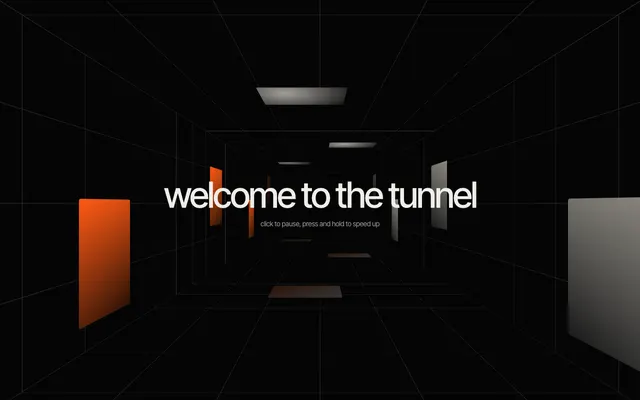 image tunnel A 3D grid corridor of image cards that flies toward you forever. Click to pause, hold to speed up.
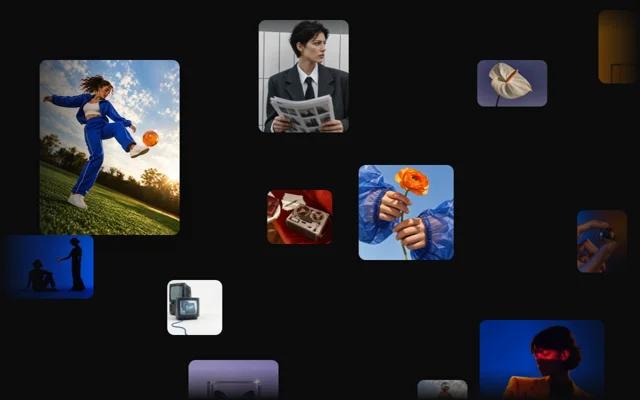 pro parallax gallery An endless, airy field of image cards at three depths that drift on their own and pan with drag, touch or arrow keys.
 pro ASCII pride gradient An animated ASCII field flowing in pride flag colours: sixteen flag presets or your own palette, with a soft fade.
 glass button A clear liquid glass pill button; a rainbow light follows the cursor and bends through the glass.
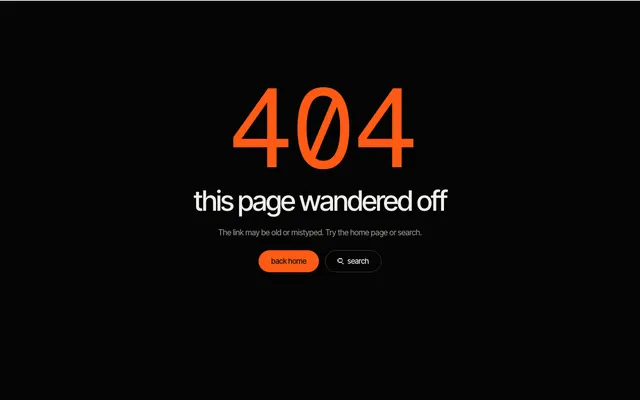 404 page Big pixel 404, one line of help and two ways back.
 announcement bar Thin bar above the navbar for a launch or notice, with a link.